1
Smart drink logging
Track water for free, and unlock broader drink logging with Murmur Pro when you want coffee, tea, juice, soda, milk, sports drinks, alcohol, and custom details.
Hydration that understands real drinks
Log water and, with Murmur Pro, track more drink types, caffeine, calories, alcohol, deeper history, and progress charts. Paid features are clearly shown in the app before purchase.
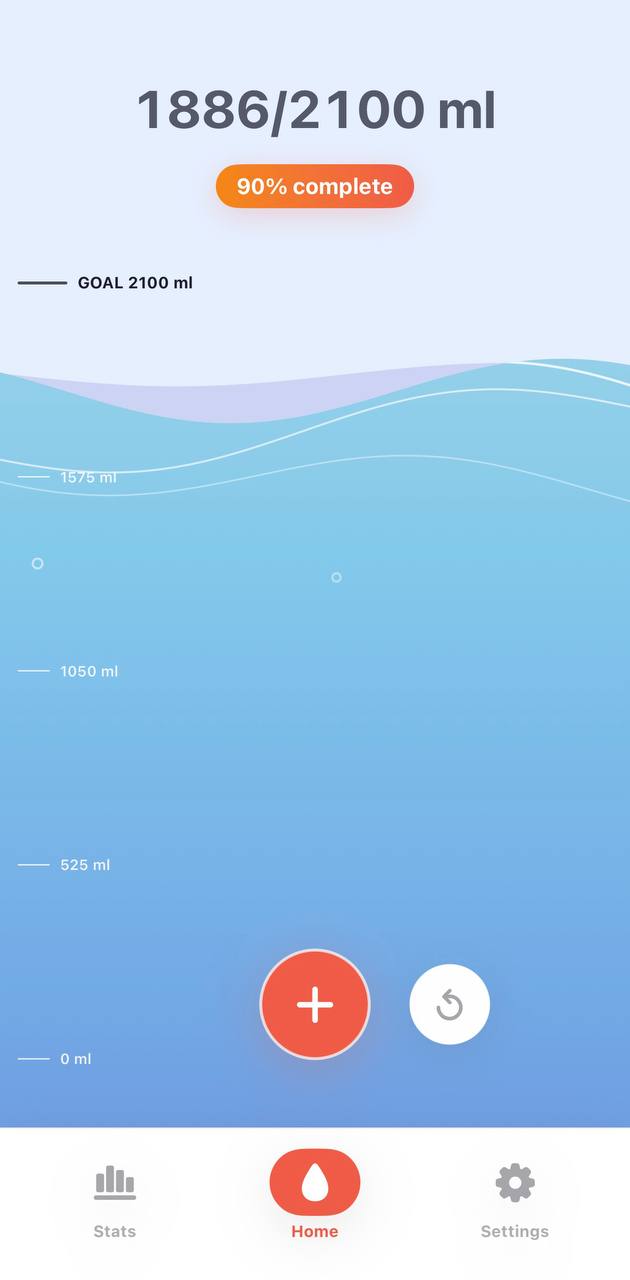
Murmur is designed around the way people actually drink: one bottle of water, a latte, a smoothie, a sports drink, or a cocktail all count differently.
Track water for free, and unlock broader drink logging with Murmur Pro when you want coffee, tea, juice, soda, milk, sports drinks, alcohol, and custom details.
Use an automatic goal based on your profile and daily conditions, or set a manual goal. A doctor-defined mode is available when you need to follow professional guidance.
Murmur Pro can track caffeine intake by source and show an estimated body caffeine curve with a sleep line for evening awareness.
Review daily goal completion and streaks, with deeper history, progress charts, and drink breakdowns available through Murmur Pro.
Switch between ml and oz, kg and lb, choose week start day, select app language, and tune reminders.
The main screen uses a calm animated water vessel with optional tilt motion, so checking your progress feels light and visual.
Your drink history, custom drinks, profile, and settings are stored on your device. The app does not use analytics, ads, or tracking SDKs.
Murmur works without sign-in or a backend account. Some advanced features require an optional App Store purchase or subscription.
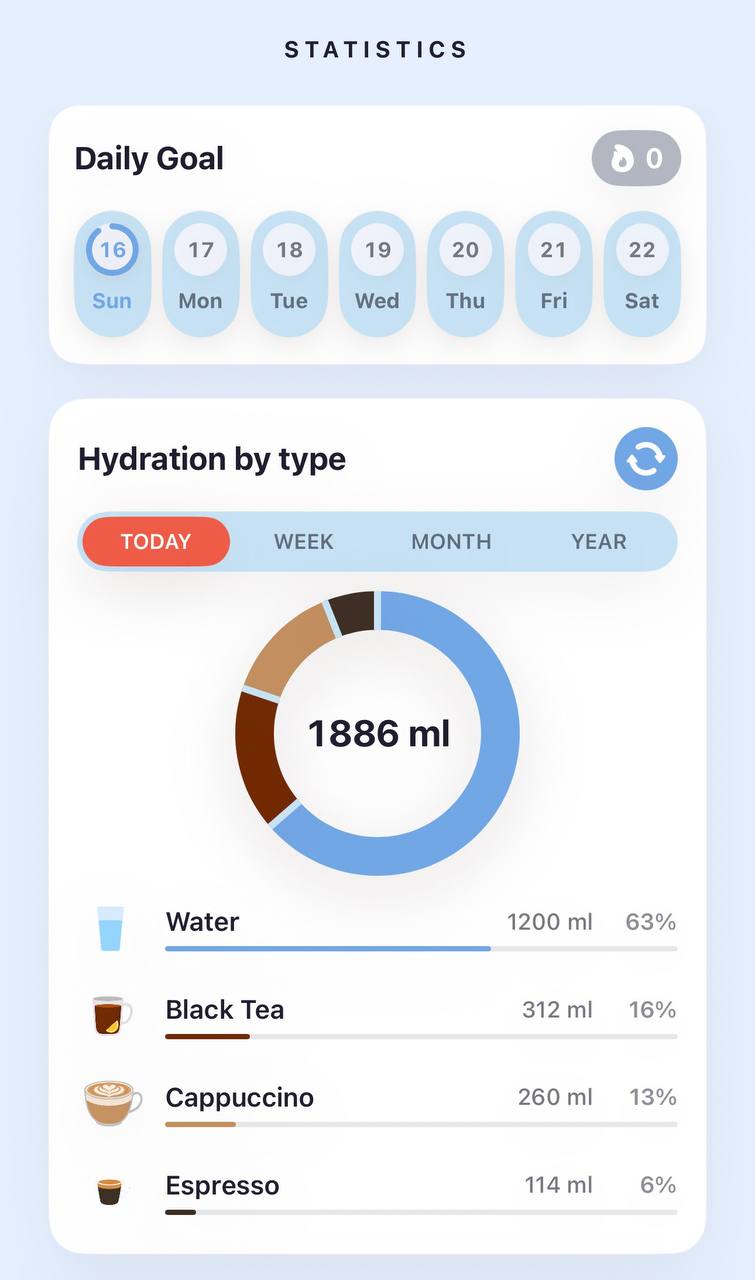
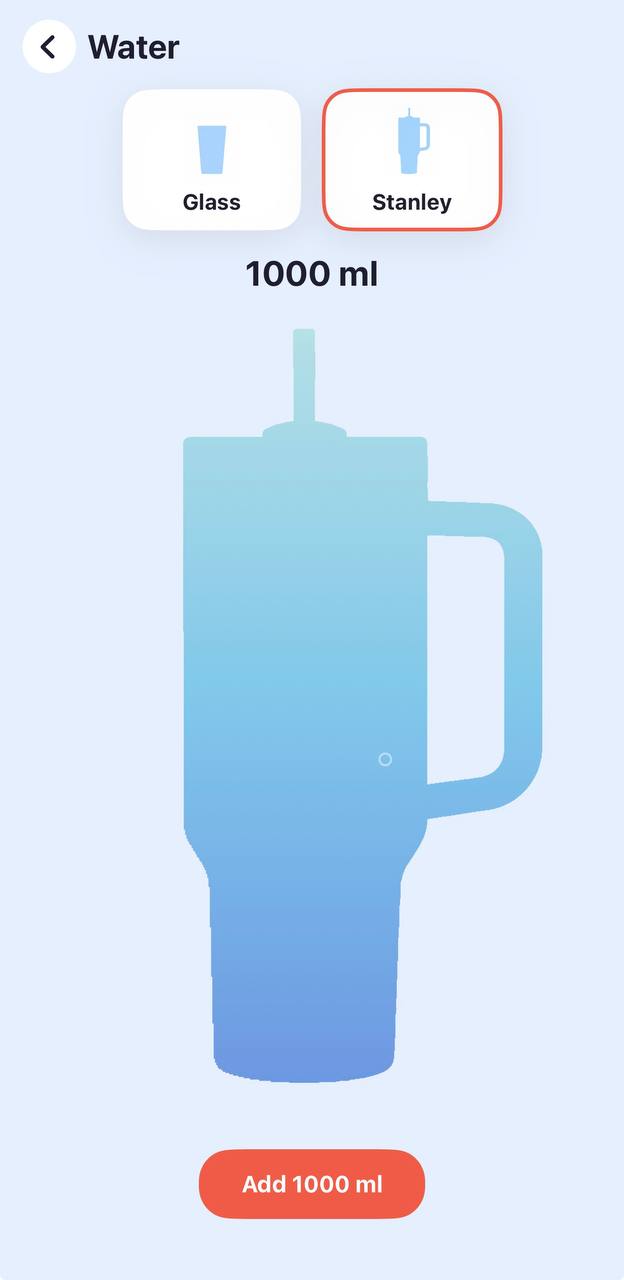
Water tracking is free, with Murmur Pro unlocking broader drink types across coffee, tea, matcha, juice, soda, milk, functional drinks, and alcohol.
Day, week, month, and year views help you understand hydration patterns without a spreadsheet.
Hydration entries and settings stay in app storage on the device unless you choose to email support.
Your drink entries, daily goal snapshots, custom drinks, custom colors, and settings are stored locally on your device in the app's private storage. Murmur does not upload this data to a server.
The app can estimate a goal from optional profile settings such as age, weight, sex, pregnancy or breastfeeding status, activity level, and weather-style preferences. You can also set a manual goal or use a doctor-defined amount.
No. Murmur is an informational wellness tool. It does not diagnose, treat, or prevent disease. Follow guidance from a qualified healthcare professional, especially if you have a medical fluid restriction or condition affecting hydration.
Open Settings, General and Support, Notifications. If this is the first time, iOS will ask for permission. If permission was previously denied, the app opens iOS notification settings so you can change it there.
Custom drink tools may be included in Murmur Pro. When available, custom drinks can include a name, icon, color, default size, hydration percentage, caffeine, calories, and alcohol percentage, and they are stored locally on your device.
Yes. Murmur has a free water-tracking experience and optional paid access for advanced features. Purchases are handled by Apple through the App Store, and subscriptions can be managed in Apple Account settings.